
Learning to Swipe Without Sight – Teaching Touch and Swipe Gestures on Smartphones to Blind and Severely Visually Impaired People
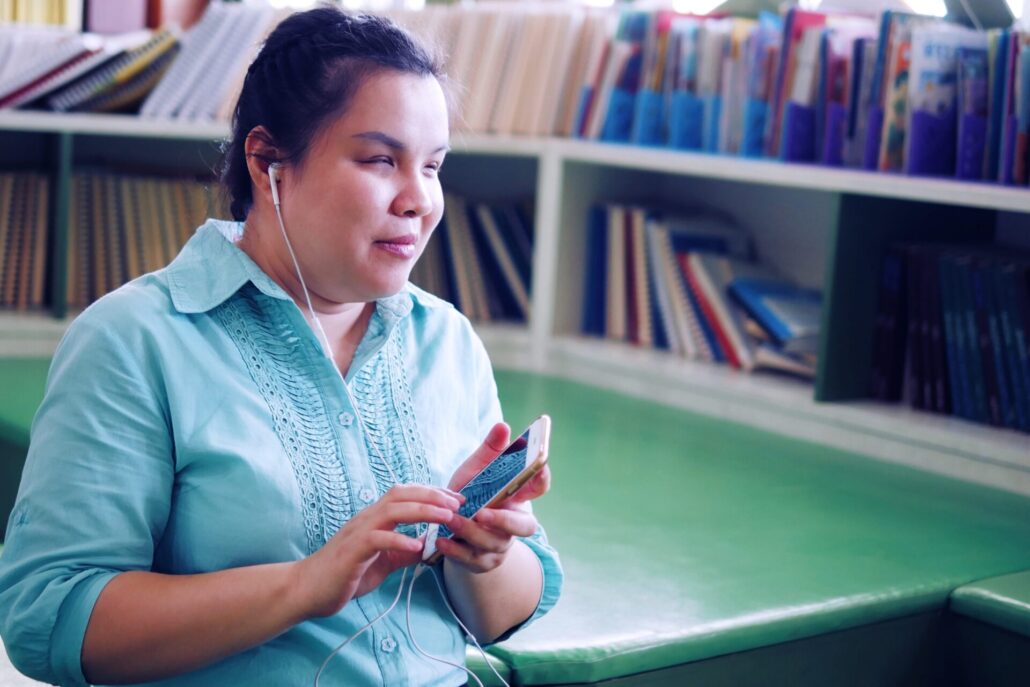

A project funded by the Humane Digital Transformation initiative is redefining the concept of digital inclusion. Researchers have developed a mobile gesture learning aid that allows instructors who are blind or severely visually impaired to teach others with visual impairments the complex touch and swipe gestures required to use smartphones. The early results are highly promising, suggesting that this approach could be a significant step towards a barrier-free digital world.
The Didactic Challenge
The Apfelschule association aims to help blind and visually impaired people achieve greater independence by giving them access to modern smart technologies. One of the major obstacles to this is teaching touch and swipe gestures on smartphones. These gestures can involve one, two, three or even four fingers, and the touchscreen responds differently depending on whether a user swipes, taps or flicks. Teaching these gestures becomes particularly challenging when instructors themselves are blind or visually impaired. They cannot visually observe how a gesture is executed, identify errors or establish why a gesture has not produced the intended result. This challenge led to the idea of developing a gesture learning aid as part of the project. The aim is to support instructors by enabling them to assess whether participants are performing gestures correctly using app-based feedback rather than visual observation.
The Three Core Elements of the Learning App
To help users learn touch and swipe gestures, the project has developed a digital learning aid in the form of a web-based proof of concept. This application is built around three core elements that introduce users to increasingly complex gestures in a gradual manner: the List, the Lesson and the Game.
1. Liste
The List function shows all the gestures that users need to learn. Users can select a gesture and practise it repeatedly until they feel confident. After each attempt, the app provides immediate spoken feedback.
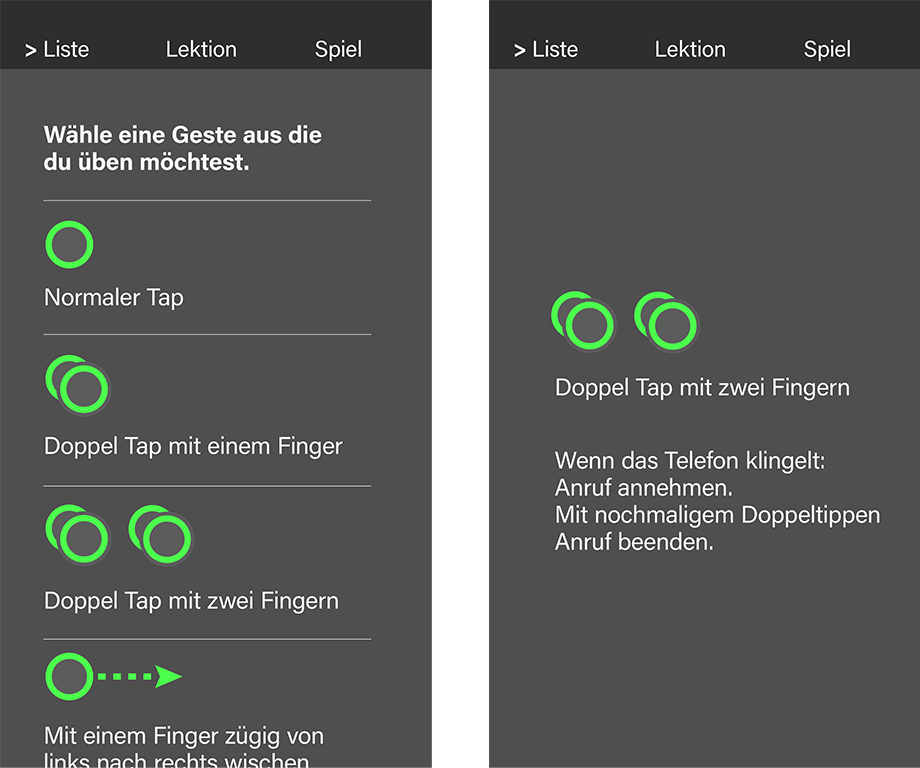
Figure left: List of available gestures, Figure right: Training of the chosen gestures
If a gesture is performed correctly, users hear encouraging messages such as ‘Well done!’. If the gesture is incorrect, a warning tone is followed by specific guidance, for example: ‘The double tap was performed too slowly. Please try again.” This targeted feedback helps users to identify and correct mistakes independently.
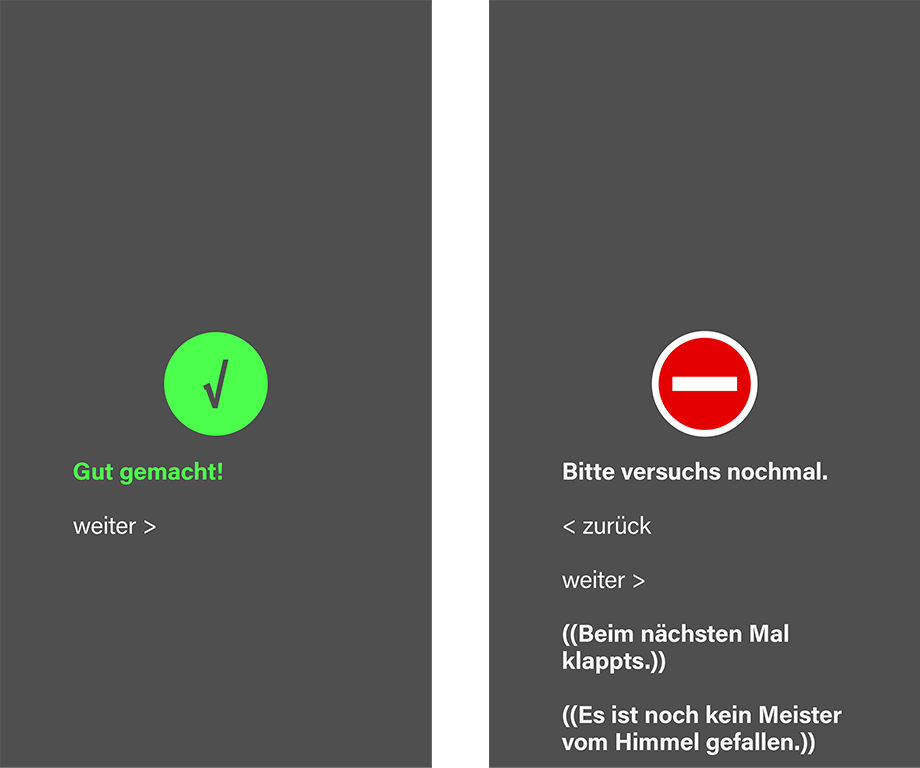
Figure left: The gestures was executed correctly, Figure right: The gestures was executed incorrectly
2. Lesson
The Lesson module helps users to learn VoiceOver gestures in a structured way. VoiceOver is a screen reader that enables blind and visually impaired users to access on-screen content via speech output, as well as operate smartphones and tablets using gestures. The lessons are structured in a specific order and must be completed sequentially: each lesson becomes available only after the previous one has been successfully completed. As in the List module, feedback on gesture performance is provided through audio and visual cues to reinforce correct execution and support learning progress.
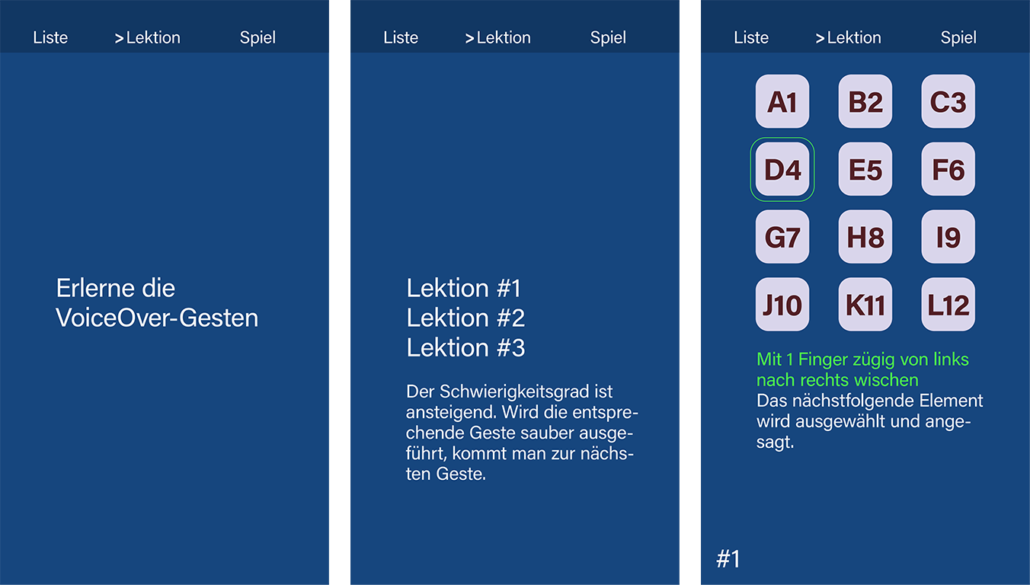
Introduction page, Short explanation, Lessons
3. Game
After practising individual gestures in the ‘List’ and ‘Lesson’ modules, users can apply their skills in the ‘Game’ element. Here, gestures are practised in fun, real-life scenarios. It is important that users not only perform the gestures correctly, but also understand which gestures correspond to specific actions.
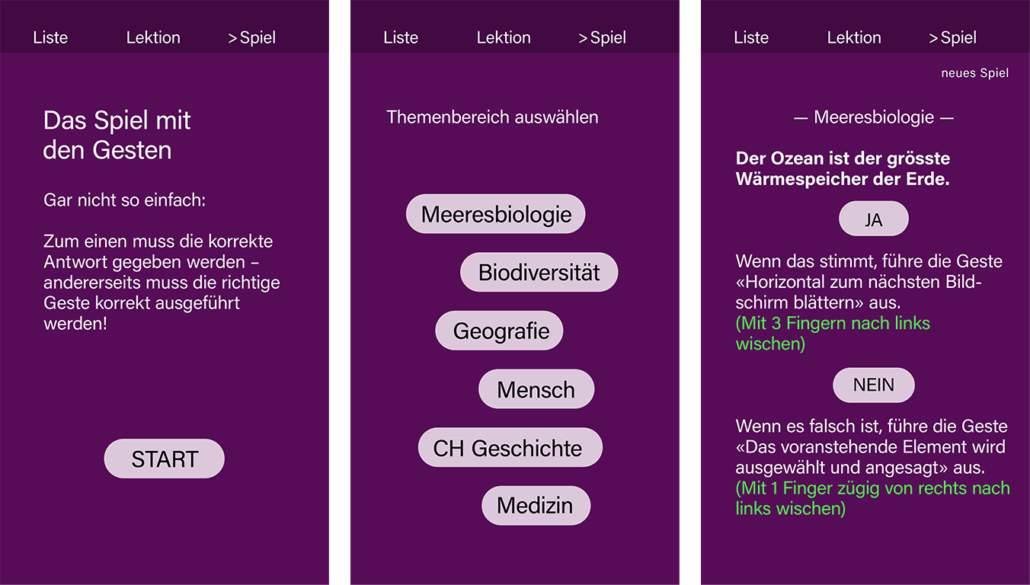
Introduction page, Selection of topics , Questions to be answered
Additionally, the game incorporates questions designed to challenge and expand users’ general knowledge across a variety of topics. Feedback is provided through audio and visual signals again. If the gesture and answer are both correct, the next question follows immediately. If the gesture is correct but the answer is incorrect, the game continues, but a lower final score is awarded.
The Technical Challenges
While we successfully implemented the three core elements described above, we also encountered several difficulties during the development of the web application. These are primarily related to the fact that we are a third-party app developer – meaning the app is not developed by the operating system manufacturer itself (such as Apple or Google). Since touch and swipe gestures are not provided as an interface by smartphone manufacturers, we had to implement them from scratch. Moreover, there is no detailed documentation how gestures are technically defined. For example, it is unclear at what point a tap becomes a tap-and-hold, or at which angle a left-to-right swipe is no longer recognized as valid.
As a result, creating a reliable and convincing learning environment requires an extensive iterative process involving repeated testing and refinement. In this regard, we as third-party app developer are at a disadvantage compared to the operating system providers, who have direct access to internal gesture definitions.
Another limitation arises from an apparent paradox: Once users activate gesture-based system navigation on their smartphones, gesture recognition within third-party apps becomes unreliable. This is because gestures are intercepted by the operating system for device control and are no longer forwarded to individual applications.
In terms of using the app as a training tool, it is likely that a production-ready version would need to run on dedicated training devices. Deploying the app on the personal smartphones of blind and visually impaired users would only be possible with significant restrictions, which would limit its practical scalability.
Added Value and the Way Forward
The gesture learning aid is designed to provide Apfelschule course instructors with greater insight into whether gestures are being performed correctly. While the current prototype supports learners directly, it does not yet include a dedicated feedback function for instructors. This feature will be essential in enabling instructors to identify which gestures still require practice, allowing them to adapt their teaching accordingly.
Looking ahead, the project extends well beyond the training of individual touch and swipe gestures. A follow-up project is planned to develop a playful, didactic learning tool that will encourage blind, visually impaired and sighted users to explore the world of gestures in new and engaging ways. The long-term vision is an inclusive learning app that combines effective instruction with the appeal of a game — one that is accessible, motivating and enjoyable for users of all ages.

Andréas Netthoevel has been a lecturer in visual communication at the Bern University of the Arts (HKB) since 2000 and a member of the Institute of Design Research (IDR) since 2010. He is co-director of the communication design studio ‘2. stock süd’, which he founded in 1990 and which also focuses on inclusion.
 Martin Gaberthüel is a graphic designer and employee at the Institute of Design Research (IDR). Since 1995, he has been co-owner of the communication design studio ‘2. stock süd’ in Biel.
 Prof. Dr Kerstin Denecke is Professor of Medical Informatics and Co-Head of the Institute of Patient-centred Digital Health at Bern University of Applied Sciences. Her research focusses on issues such as artificial intelligence and the risks and opportunities of digital healthcare solutions.
 François von Kaenel is a software developer with 30 years of experience in the software industry, mainly in the field of clinical information systems. He has been a team leader at BFH for 14 years and is involved in the development and implementation of mHealth solutions with a focus on data protection, design and semantic interoperability.
 Gabriel Hess is a research assistant at the Institute for Patient-centered Digital Health at Bern University of Applied Sciences. His main areas of responsibility are development (React Native, Ionic/Angular, Vue.js), FHIR design, and supervising student projects.
 Contributions as RSS
 Comments as RSS
Leave a Reply
Want to join the discussion?Feel free to contribute!